
You’ve just installed your new Schlage keypad lock, but suddenly it stops responding, leaving you locked out and frustrated. It’s like trying to decipher a puzzle box without the right combination. Before you call a locksmith, take a step back and troubleshoot the issue yourself. With a few simple checks, you might just find the solution is simpler than you think. Let’s start with the basics: is your lock getting enough power?
Contents
- Understanding Schlage Lock Components
- Using and Troubleshooting Schlage Locks
- Common Issues and Solutions
- Keypad and Battery Issues
- Door Lock Malfunctions
- App and Internal Issues
- Maintenance and Support
- Troubleshooting Steps for a Non-Illuminated Keypad
- Potential Causes and Resolution for a Non-Functional Keypad
- Frequently Asked Questions
- Conclusion
Understanding Schlage Lock Components
Your Schlage keypad lock is comprised of several key components that work together to provide secure and convenient access control.
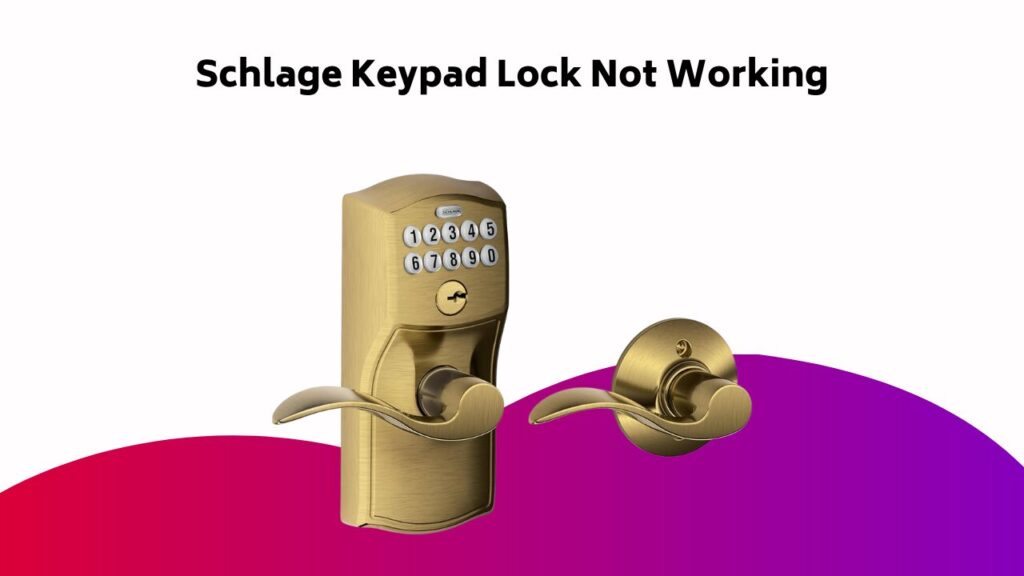
The lock’s brain is the control board, which processes user input and communicates with the motorized latch. The keypad allows you to enter your personalized code, while the Schlage smart module enables smart home integration.
The lock’s exterior features a durable escutcheon and a secure deadbolt or latch. The battery pack powers the lock, and the alarm sounds in case of tampering or forced entry.
Understanding these components is vital for effective troubleshooting and maintenance of your Schlage locks.
Using and Troubleshooting Schlage Locks
Now that you’re familiar with the components of your Schlage keypad lock, it’s time to put them into action.
Refer to your Owners Manual for specific instructions on programming and operating your lock. Guarantee your lock has sufficient battery power to function correctly.
When entering your code, make sure to press the Schlage button and enter your code within 5 seconds.
If your lock worked fine previously, but is now malfunctioning, try resetting it or replacing the batteries. Always follow the troubleshooting steps outlined in your manual to resolve issues efficiently.
Common Issues and Solutions
The Schlage keypad lock’s electronic nature makes it prone to certain issues, but most can be resolved with simple troubleshooting steps.
If your lock would stop responding, made sure the battery isn’t dead and the lock is properly installed. Check for any obstruction blocking the lock’s mechanical parts.
Cant find the issue? Try resetting the lock to its factory settings. If you’ve forgotten your code, use the reset button to restore the default code.
Verify all doors and windows are closed before locking to avoid any misalignment issues. By following these steps, you’ll be able to resolve common issues and get your lock working again.
Keypad and Battery Issues
When troubleshooting your Schlage keypad lock, you’ll likely encounter issues with the keypad and battery.
If your keypad isn’t lighting up, it may be a sign of a dead battery or incorrect installation.
Let’s investigate the possible causes and solutions for a non-illuminated keypad, dead battery symptoms, and battery installation issues.
Keypad Not Lighting Up
If your Schlage keypad lock’s display remains dark, you’re likely dealing with either a faulty keypad or drained batteries.
Check the batteries first, as they might be the culprit.
- Try replacing the batteries with new ones to see if the keypad lights up.
- Check the battery compartment for any signs of corrosion or damage.
- If you’re setting up your lock for the first time, verify you’ve entered the correct serial number during the installation process.
Dead Battery Symptoms
As you troubleshoot your Schlage keypad lock, dead battery symptoms can manifest in various ways, including a dark keypad display, preventing you from entering your code or accessing your lock.
A dead battery may also prevent the green light from flashing after entering the correct code. Faulty battery indicators, such as inconsistent power consumption patterns, can shorten battery life expectancy.
Regular maintenance and replacement can help prevent these issues. Check for signs of battery drain, like a slow response to code entry or dim keypad lights. If you’ve ruled out other causes, it’s likely your battery needs replacement.
Battery Installation Issues
One common issue that can prevent your Schlage keypad lock from functioning properly is incorrect battery installation.
You’ll want to double-check your work to guarantee the batteries are installed correctly.
- Make sure the battery alignment is correct, as specified in the user manual.
- Verify that the polarity of the batteries is correct, with the positive terminal facing the correct direction.
- Inspect the contacts for any signs of corrosion or damage, and clean them if necessary.
Door Lock Malfunctions
When you’re experiencing door lock malfunctions with your Schlage keypad lock, it’s essential to identify the root cause of the issue.
You’ll want to inspect the deadbolt for clogging, check for dust accumulation that may be hindering the locking mechanism, and examine the locking piece for signs of wear.
Deadbolt Clogging Issues
Several factors can cause your Schlage keypad lock’s deadbolt to clog, leading to frustrating door lock malfunctions.
To prevent clogs, you should prioritize deadbolt maintenance.
- Regularly clean the deadbolt’s strike plate to remove dirt and debris.
- Apply lock lubrication to the deadbolt’s moving parts to reduce friction.
- Perform routine checks to guarantee the deadbolt is properly aligned with the strike plate to prevent clog formation.
Dust Accumulation Problems
Dust accumulation is another common issue that can cause your Schlage keypad lock to malfunction.
A dusty exterior allows airborne particles to settle on the lock’s internal mechanisms, causing problems.
To prevent this, establish a regular cleaning schedule. Use a soft cloth to wipe down the lock’s exterior, paying attention to crevices and corners where dust tends to accumulate.
For more thorough cleaning, use a can of compressed air to blow out debris.
Regular cleaning will prevent dust from building up and causing issues with your Schlage keypad lock.
Worn Locking Piece
One common culprit behind Schlage keypad lock malfunctions is a worn-out locking piece.
Over time, lock wear can lead to piece corrosion, causing internal friction that hinders smooth operation. This can result in difficulties securing or releasing your door.
- Check for visible signs of wear on the locking piece, such as rust or corrosion.
- Inspect the piece for any blockages or debris that may be contributing to internal friction.
- Consider replacing the locking piece if you suspect it’s causing the malfunction.
App and Internal Issues
Your Schlage keypad lock’s app and internal components can malfunction, causing frustrating issues.
Check if the app crashes frequently or fails to load. Verify your device has a stable network connectivity to prevent sync issues.
If you’re experiencing server downtime, try restarting the app or checking the manufacturer’s website for status updates.
For internal issues, perform a factory reset or update the lock’s firmware to resolve software-related problems.
If the issue persists, try reinstalling the app or consulting the user manual for troubleshooting guides specific to your lock model.
Maintenance and Support
Regular maintenance helps prevent issues with your Schlage keypad lock.
To guarantee your lock continues to function properly, you should periodically review your lock history to identify any potential problems.
Additionally, keep your user manuals handy in case you need to reference specific instructions.
- Check your lock’s battery level regularly to prevent unexpected lockouts
- Review your warranty details to understand what’s covered and for how long
- Keep your user manuals and installation guides in a safe and accessible location
Troubleshooting Steps for a Non-Illuminated Keypad
Several instances of Schlage keypad lock malfunction have been attributed to a non-illuminated keypad. To troubleshoot this issue, start by checking the Code Entry icon in the SmartThings app to verify it’s set to “On”.
| Troubleshooting Step | Potential Solution |
|---|---|
| Check Code Entry icon | Confirm it’s set to “On” in SmartThings app |
| Disconnect and reconnect battery pack | Resolve potential loose connection |
| Check keypad connection pin | Identify potential issues |
If these steps don’t resolve the issue, consider replacing the batteries or resetting the device to diagnose the problem further.
Potential Causes and Resolution for a Non-Functional Keypad
A non-functional keypad on your Schlage lock can be a frustrating experience, especially when you’re trying to gain access to your home or office.
To troubleshoot the issue, you’ll need to identify the underlying cause.
- Faulty installation: Check if the lock was installed correctly, ensuring all wires are connected and the keypad is securely attached.
- Incorrect coding: Verify that the correct code was entered during setup and that it hasn’t been changed accidentally.
- User error: Make sure you’re entering the correct code and following the proper procedure for locking and releasing.
Resolve the issue by addressing the identified cause, and your Schlage keypad lock should function normally again.
Frequently Asked Questions
Why Is My Schlage Keypad Door Lock Blinking Green?
When your door lock blinks green, you’re likely dealing with a battery drain issue, False entry attempts, or Incorrect coding. Check the battery level, review recent access attempts, and verify the code to identify the root cause and take corrective action.
Why Does My Schlage Key Lock Keep Spinning?
Your lock is spinning like a top, leaving you dizzy and frustrated! Check if you’re experiencing battery drain, as low power can cause the motor to malfunction. Next, inspect for a faulty motor or incorrect installation, which can also trigger this issue.
Why Is My Schlage Keypad Lock Suddenly Not Working?
You’re wondering why your keypad lock suddenly stopped working. Check for battery drain, as weak batteries can cause malfunction. Next, verify your coding is correct, as incorrect coding can disable the lock. Finally, inspect for faulty circuitry, which may require professional attention.
What to Do When the Keypad Door Lock Is Not Working?
When your keypad door lock is as useful as a broken compass, you’re left feeling lost. Check for a dead battery, inspect for faulty installation, and guarantee the latch is properly aligned – then, troubleshoot and reboot to get back on track.
Conclusion
You’ve navigated the troubleshooting maze, and your Schlage keypad lock should now be humming along smoothly. With batteries refreshed, doors aligned, and settings reset, your lock should be secure and responsive. If issues still lurk, refer to the owner’s manual or contact support for further guidance. By following these steps, you’ve taken the first line of defense against lock mishaps, ensuring your home remains a fortress of security and peace of mind.