
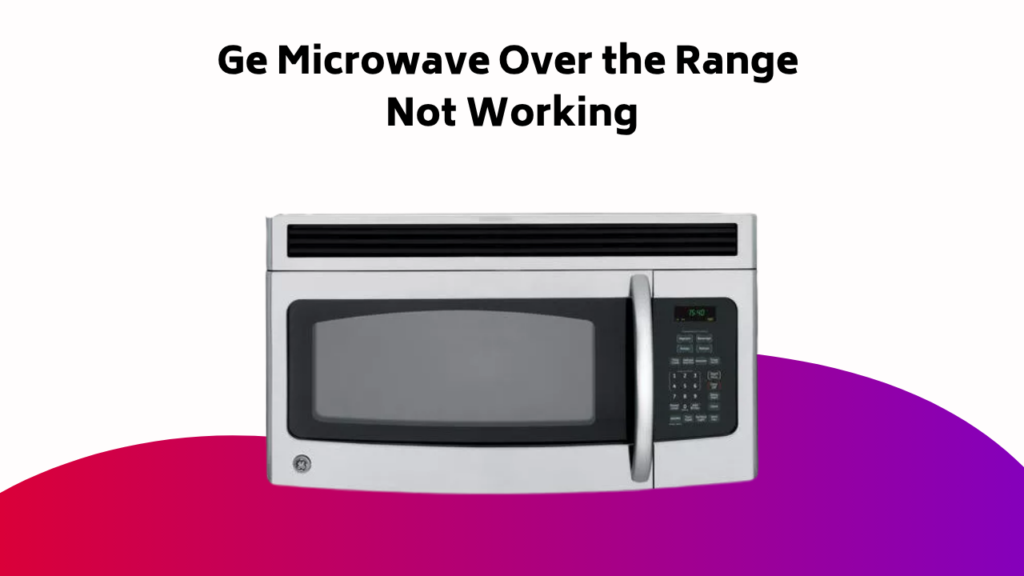
When your GE microwave over the range starts acting up, don’t panic! Begin by resetting the control panel by unplugging it, waiting 30 seconds, and plugging it back in. This simple trick often clears error messages and gets things back on track. But if that doesn’t work, it’s time to dig deeper. You’ll want to investigate stuck buttons, cooking settings, and turntable rotation, as well as potential magnetron issues, power problems, and sensor malfunctions. Where will your troubleshooting journey take you?
Contents
Resetting and Basic Operations
One of the most overlooked yet effective troubleshooting steps for your GE microwave is resetting it.
You’ll be surprised how often this simple step resolves issues. Unplug the microwave from the power outlet, wait 30 seconds, and plug it back in. This will reset the control panel and clear any error messages.
Next, check the control panel for any stuck or faulty buttons. Make sure you’re using the correct cooking settings and that the turntable is rotating properly.
If you’re still experiencing issues, consult your user manual or contact a professional for further assistance.
Heating and Error Codes
You’re experiencing issues with your GE microwave’s heating performance, and it’s essential to identify the root cause.
Magnetron problems, incorrect cooking settings, or blown fuses can all contribute to heating failures, while error codes on the display can point to specific faults.
Magnetron Issues
Your GE microwave’s magnetron is responsible for producing the high-frequency energy that heats your food.
If it’s not working correctly, you may experience heating issues. Check for signs like no heating, unusual burning odors, or snapping and arcing sounds. To diagnose the problem, verify the Timer button is set correctly and the door is shut properly.
Some common indicators of magnetron issues include:
- Failure to heat food properly
- Unusual burning odors or sounds
- Error codes F1-F6, F10, Probe, 888, 8888, or PF
Avoid DIY repairs and contact a professional for assistance, as magnetron issues can be safety risks.
Error Code Diagnosis
When your GE microwave displays an error code, it’s indicating a specific fault that needs attention.
Codes F1-F6, F10, Probe, 888, 8888, or PF on the Microwave Display indicate issues like thermal sensor problems or shorted humidity sensors.
Consult your user manual or contact a technician for diagnosis and repair. Don’t attempt DIY repairs, as they can lead to further complications and safety risks.
Instead, try turning off the power to the microwave for 30 seconds to see if the issue resolves. If not, professional help is likely needed to diagnose and fix the problem.
Heating Failure Causes
Malfunctioning components can prevent your GE microwave from heating food properly, leading to undercooked or cold meals.
To identify the cause, inspect your microwave’s internal components and check for error codes.
- A malfunctioning magnetron may produce no heating, unusual burning odor, or snapping and arcing sounds.
- Verify the door is shut properly and the Timer button wasn’t accidentally pressed during cooking.
- Inspect the fuse block for blown fuses, which can prevent the microwave from heating due to overheating.
- Check for error codes F1-F6, F10, Probe, 888, 8888, or PF, which may indicate specific faults, such as thermal sensor issues or shorted humidity sensors.
Power, Circuit, and Electrical Issues
The GE microwave’s power, circuit, and electrical components are critical to its operation, and issues with these systems can render the appliance inoperable.
If your microwave won’t turn on, check the power supply and guarantee it’s receiving the recommended voltage. A tripped circuit breaker or blown fuse might be the culprit. You can reset the breaker or replace the fuse to see if that resolves the issue.
Additionally, inspect the microwave’s cord and plug for damage or wear, as this can also disrupt power flow. By addressing these potential causes, you may be able to confirm your microwave’s functionality.
Sensor, Control Panel, and Cooking Issues
Your GE microwave’s sensor, control panel, and cooking functions work in tandem to guarantee your meals are cooked to perfection.
However, issues can arise when these components malfunction.
Check for:
- Sensor malfunction or inaccuracy due to food residue buildup, leading to inconsistent cooking results
- Control panel issues, such as non-responsiveness or incorrect cooking settings, which can be resolved by resetting the microwave or consulting the user manual
- Incorrect cooking settings, including power level and cooking time, which can result in overcooking or undercooking food
- Sparks or arcing during cooking, indicating a sensor or control panel issue that requires prompt attention to prevent safety risks
Maintenance, Repair, and Cleaning Issues
Food residue and grime can silently sabotage your microwave’s performance, leading to a host of issues that compromise its efficiency and safety.
Failure to clean your microwave regularly can lead to food residue buildup, grease accumulation, and clogged turntables, causing malfunctions and safety risks.
To prevent these issues, you should perform routine cleaning and replace worn-out parts. Appliance Doctor Inc. recommends regular maintenance to prolong the lifespan of your microwave and guarantee it operates safely and efficiently.
If you’re experiencing issues, don’t hesitate to seek same-day microwave repair services for most major brand names.
Microwave Not Heating
Faulty heating is a common issue that can render your microwave useless.
If your microwave not heating, it’s essential to identify the cause.
Check for these potential issues:
- Magnetron failure: If the magnetron is faulty, it won’t produce microwave energy, resulting in no heat.
- High-voltage capacitor failure: A faulty capacitor can prevent the magnetron from functioning, leading to no heating.
- Power Watch Code: Check if your microwave displays a Power Watch Code, indicating a heating issue.
- Faulty thermostat or thermal cut-out: A malfunctioning thermostat or thermal cut-out can prevent the microwave from heating.
Display Not Turning On
If you’ve ruled out heating issues, it’s time to tackle another common problem: the display not turning on.
Check the power cord and confirm it’s securely plugged into a working outlet. Verify the microwave is receiving power by checking for signs of life, like fan operation or interior lighting.
If the display is still not functioning, it’s possible the control board or display module has stopped working. Inspect the display for signs of physical damage or corrosion.
If you’re still unsure, consult your user manual or contact a professional for further assistance.
Turntable Not Rotating
Your turntable’s refusal to rotate can be a frustrating issue, especially when cooking or reheating requires it.
Check the following potential causes to troubleshoot the problem:
- Turntable ring isn’t properly seated: Guarantee the ring is securely locked into place.
- Food or liquid obstruction: Clear any blockages that might be hindering the turntable’s rotation.
- Faulty or worn-out turntable motor: Inspect the motor for signs of wear or damage.
- Incorrect installation or alignment: Certify that the turntable is installed correctly and aligned with the Microwave Oven’s rotation mechanism.
Door Latch Issues
When you encounter issues with your GE microwave door, it’s likely due to a latch malfunction, which can be caused by misalignment or blockage.
You’ll need to check if the latch needs adjustment or if the surrounding area requires cleaning to guarantee proper function. By inspecting and addressing these potential problems, you can resolve the door latch issues and get your microwave up and running again.
Door Latch Malfunction
The door latch malfunction is a common issue in GE microwaves, often preventing the door from opening or closing properly.
This can be frustrating, especially when you need to cook or reheat food quickly.
To diagnose the problem, check for the following:
- Is the door latch damaged or broken? Inspect for signs of wear or physical damage.
- Is the latch mechanism jammed or obstructed? Check for food particles or debris.
- Is the door alignment off? Guarantee the door is properly aligned with the microwave’s frame.
- Are the latch sensors faulty? Verify the sensors for dust or moisture buildup.
Latch Adjustment Needed
A malfunctioning door latch can often be resolved with a simple adjustment.
Check if the latch is misaligned or loose. You’ll need to make sure it’s properly secured to the microwave door.
Perform a latch adjustment by loosening the screws that hold the latch in place. Gently push the latch back into its correct position, ensuring it’s flush with the door. Retighten the screws firmly.
Test the door to see if the latch adjustment has resolved the issue. If the problem persists, it may indicate a more complex problem requiring further troubleshooting.
Cleaning the Latch Area
Food residue, splatters, and spills can clog the latch area, causing door latch issues.
When your microwave runs, the latch must engage and disengage smoothly. Clean the latch area to guarantee proper function.
Try these steps to resolve the issue:
- Remove any large debris from the latch area
- Dampen a cloth with warm water and mild detergent
- Gently wipe the latch area, paying attention to crevices and corners
- Dry the area thoroughly to prevent moisture buildup
Frequently Asked Questions
Does a GE Microwave Have a Reset Button?
You’re searching for a magic reset button on your GE microwave, but sadly, it’s a myth. There’s no dedicated reset button, and the Off/Clear button won’t do the trick. You’ll need to dig deeper to find the root cause of the issue and follow the correct reset procedure.
What Is the Most Common Microwave Failure?
You’ll often find that the most common microwave failure is a faulty magnetron, causing heating issues, unusual odors, and arcing sounds. Additionally, a worn-out turntable can also lead to uneven cooking and sparking, so it’s essential to inspect and replace these components if necessary.
What Are Common Problems With GE Profile Microwaves?
You’re bound to encounter a multitude of problems with your GE Profile microwave, but don’t worry, it’s not you, it’s them! Sensor issues, cooking inconsistencies, and magnetron malfunctions top the list, followed by display panel errors, door latch woes, and maintenance mishaps.
What Would Cause an Over The-Range Microwave to Stop Working?
You’ll find that your over-the-range microwave stops working due to a power surge, faulty sensor, or tripped circuit breaker, which can be caused by overloaded circuits, overheating, or electrical shock, requiring prompt diagnosis to prevent fire hazards.
Conclusion
You’ve now taken the first steps in troubleshooting your GE microwave over the range. By addressing common issues, you’ve increased the chances of resolving the problem quickly. Did you know that according to the National Fire Protection Association, 42% of reported home fires involving microwaves occur due to electrical failure or malfunction? Stay vigilant and proactive in maintaining your appliance to guarantee safe and efficient cooking.