
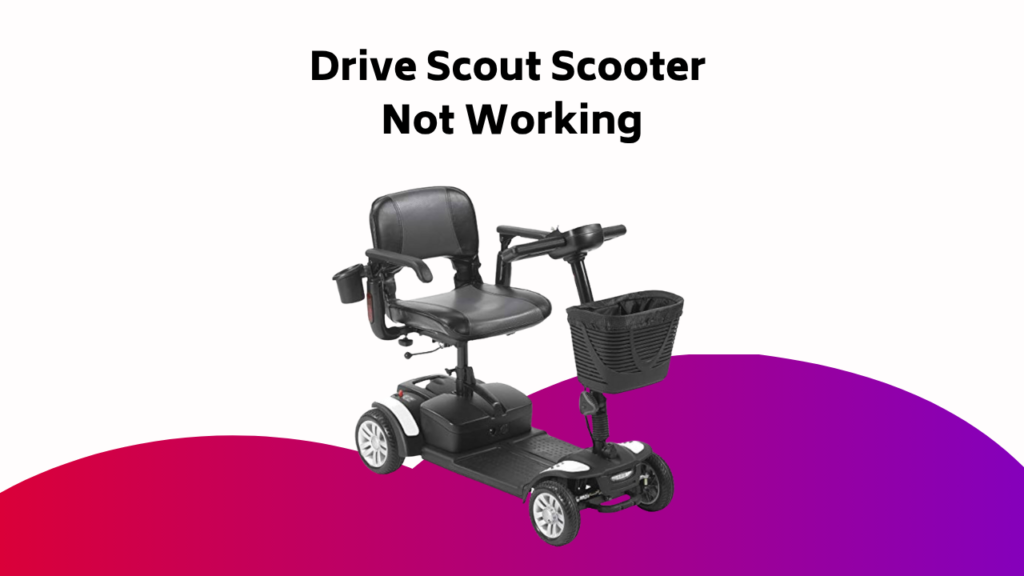
When your trusty Drive Scout Scooter suddenly leaves you stranded, it’s like losing a reliable friend – unexpected and frustrating. But don’t worry, troubleshooting is often a straightforward process. Start by checking the battery charge level and verifying the speed pot’s functionality. If that doesn’t resolve the issue, it’s time to dig deeper. Consult your owner’s manual to access the diagnostic menu and retrieve Flash codes, which will point you in the right direction. But what do those codes really mean, and how do you fix the problem?
Contents
Battery Issues and Solutions
When your Drive Scout Scooter‘s battery isn’t functioning as expected, it can be frustrating and inconvenient.
First, try charging the battery to verify it’s not simply a matter of low power. If that doesn’t work, check the speed pot to guarantee it’s functioning correctly.
If you’re still having issues, consult the owner’s manual for instructions on accessing the diagnostic menu and retrieving Flash codes. These codes can help you identify the specific problem with your battery.
Controller Faults and Troubleshooting
When you’re troubleshooting your Drive Scout Scooter’s controller, you’ll want to check for Current Limit Issues, which can cause the controller to shut off due to excessive motor current.
You might also encounter Drive Inhibit Errors, which can be triggered by a Charger Inhibit or OONAPU condition. By understanding these common faults, you’ll be able to quickly identify and resolve the issue, getting you back on the road in no time.
Current Limit Issues
Current Limit Issues can arise from a variety of sources, but they often stem from the motor exceeding its maximum current rating. When this happens, you’ll see a Current Limit Time-out or Controller too hot fault. Make sure to turn off and on again to reset.
| Symptom | Solution |
|---|---|
| Motor faults | Check motor and connections for issues |
| High temperatures | Reduce speed on slopes to minimize regenerative charging |
| Repeated faults | Professional assistance required for diagnosis and repair |
| Motor exceeding max current | Turn off and on again to reset |
| Controller overheating | Check for blockages, guarantee proper airflow |
Drive Inhibit Errors
Drive Inhibit Errors can be particularly frustrating, especially after resolving Current Limit Issues.
Now, it’s time to tackle these faults. You’ll need to identify the inhibit causes, which can include faulty sensors, incorrect configuration, or overheating.
Error detection is vital; check the controller’s error logs to pinpoint the issue.
Fault isolation is key to resolving the problem; methodically test each component to identify the faulty part.
Once you’ve isolated the fault, you can take corrective action to get your Drive Scout Scooter up and running again.
Brake Problems and Repair
You’ve encountered brake issues with your Drive Scout Scooter, and it’s time to identify and fix the problem.
You’ll need to diagnose park brake faults, service the magnetic brake, and inspect brake connections to get your scooter running smoothly again.
Park Brake Fault Diagnosis
The park brake fault diagnosis is a crucial step in identifying and resolving brake problems on your Drive Scout Scooter.
You’ll need to inspect the park brake adjustment to guarantee it’s set correctly. Check for brake pad wear, as excessive wear can cause issues.
A faulty brake sensor can also trigger park brake faults. Inspect the sensor for damage or corrosion and replace it if necessary.
If you’re still experiencing issues, consult your owner’s manual or contact a certified technician for further assistance. Remember to always follow proper safety procedures when working with brakes to avoid injury or damage.
Magnetic Brake Service
Properly functioning magnetic brakes are essential to your safety while operating the Scout Scooter. Regular maintenance is pivotal to guarantee they’re working correctly. You’ll need to perform magnetic calibration to adjust the brake’s magnetic field. Inspect the brake pads for wear and replace them when necessary. Don’t forget to inspect the rotor for excessive wear or damage.
| Brake Component | Action |
|---|---|
| Magnetic Brake | Perform magnetic calibration |
| Brake Pads | Inspect for wear, replace if necessary |
| Rotor | Inspect for excessive wear or damage |
| Brake System | Regularly inspect and maintain |
Brake Connection Inspection
During routine maintenance, inspecting the brake connections is crucial to guarantee your Scout Scooter’s brakes function correctly.
You’ll want to check for any signs of wear or damage that could affect brake performance.
- Check the brake cable tension to certify it’s not too loose or too tight, as this can cause brake failure.
- Inspect the connection points for rust or corrosion, which can weaken the brake system.
- Look for any signs of wiring harness damage, such as frayed cables or broken connectors.
- Verify that all brake connections are securely fastened to prevent them from coming loose while riding.
Throttle and Speed Issues
How often have you found yourself struggling to accelerate or maintain a steady pace on your Drive Scout scooter?
Throttle and speed issues can be frustrating, but often, they’re easily resolved.
Check your throttle calibration to guarantee it’s properly set. If you’re hitting a speed limiter, adjust the settings to allow for higher speeds.
A faulty potentiometer can also cause throttle issues, so inspect and replace it if necessary. Make certain all connections are secure and clean.
General Errors and Diagnostic Codes
What’s causing your Drive Scout scooter to malfunction? General Errors can be frustrating, but they’re often easy to resolve.
- Check for loose or damaged connections during a controller inspection and wiring checks.
- Look for fault diagnosis indicators like a flashing Diagnostic light or a 2-digit fault code on the battery gauge.
- Familiarize yourself with common flash codes, like 1,1 for Thermal Fault or 1,4 for Low Voltage, which can be resolved by powering off and charging the battery.
- If the problem persists, don’t hesitate to call AP Scooter Repair Services for further assistance.
Flash Code Interpretation and Actions
When your Drive Scout scooter malfunctions, a diagnostic flash code can provide vital hints to identify the issue.
You’ll see the code displayed as a 2-digit fault on the battery indicator light or as a flashing light on the control panel. Perform Flash Code Analysis by referencing the code to determine the fault.
For instance, Flash Code 1,1 indicates a Thermal Fault, which you can resolve by powering off and letting the scooter rest for 15 minutes.
Follow the recommended Diagnostic Procedures for your specific code, such as checking the throttle connection for Flash Code 1,2 or charging the battery pack for Flash Code 1,4.
Troubleshooting Steps and Procedures
Now that you’ve identified the issue using the flash code, it’s time to take corrective action.
You’ll need to perform a series of troubleshooting steps to resolve the problem.
- Consult your scooter’s maintenance manual to verify you’ve followed the recommended maintenance schedule.
- Use diagnostic tools to scan for any error codes or warnings that may indicate the root cause of the issue.
- Perform wiring checks to identify any loose or damaged connections that could be causing the problem.
- Check the scooter’s electrical system to guarantee it’s functioning properly.
Contacting AP Scooter Repair Services
You can reach out to AP Scooter Repair Services for professional assistance with troubleshooting and repairing your scooter. If you’re stuck, don’t hesitate to contact them for help.
| Contact Method | Details |
|---|---|
| Phone Support | 302-516-7186 |
| Service Hours | 9AM-5PM, EST, Mon-Fri |
| Email Assistance | [email protected] |
| Troubleshooting Steps | Provided to help identify common faults |
| Diagnostic Flash Codes | Available to help resolve issues |
Remember to turn your scooter off and then back on again to clear the flash code after taking the recommended action.
Frequently Asked Questions
Why Is My Drive Scout Scooter Beeping?
Your scooter’s beeping could indicate a battery drain warning, signaling low power levels. It might also be a faulty sensor alert, or a loose connection alert, which you can troubleshoot by checking connections and sensor functionality.
Is There a Reset Button on Electric Scooter?
Silky smooth startups seem elusive, don’t they? Unfortunately, you won’t find a dedicated reset button on your electric scooter. Instead, faulty electronics, battery calibration issues, or power surges might be the culprit; try turning it off and on again to reboot and potentially clear the fault.
What Is the Most Common Problem With Mobility Scooters?
You’re likely to encounter battery-related issues, accounting for 70% of technical faults, often due to battery drain, inadequate charging, or faulty controllers. Regular checks on tire pressure and connections can help prevent these common problems.
Why Will My Drive Scooter Not Move?
Oh no, you’re stuck! Literally! Your scooter refuses to budge. It’s not you, it’s probably one of these common culprits: Faulty batteries that need a recharge, Loose connections waiting to be tightened, or Worn tires that need a replacement – time to troubleshoot and get moving again!
Conclusion
You’ve made it to the end of our troubleshooting journey! By now, you’ve likely identified and tackled the issue plaguing your Drive Scout Scooter. If not, don’t worry – you’ve got this! With the diagnostic menu and Flash codes as your guides, you’ve taken the first steps towards getting back on the road. Remember, if you’re still stuck, AP Scooter Repair Services is just a call away. Happy scooting!