
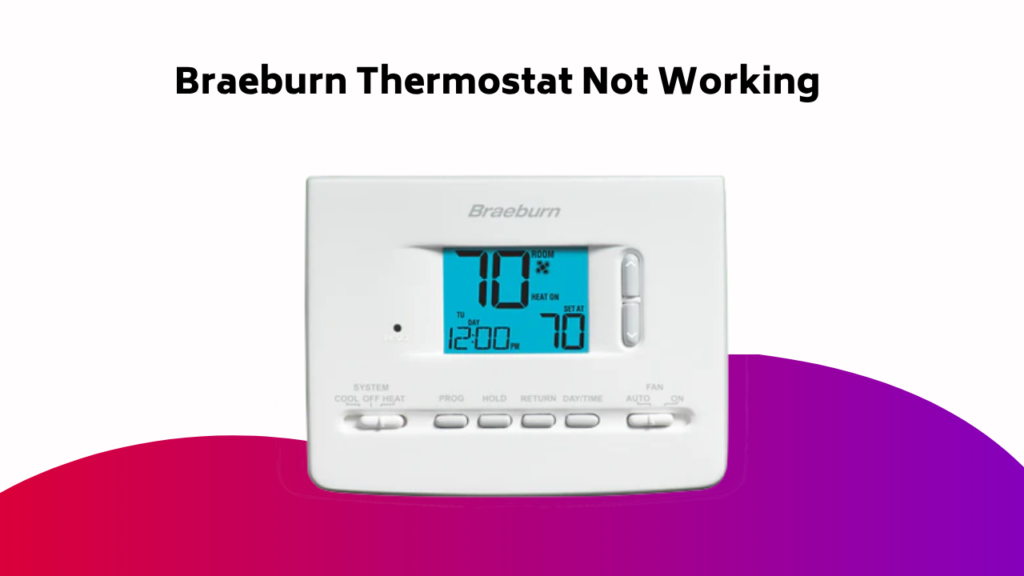
As you stand in front of your Braeburn thermostat, its unresponsive screen staring back at you like a blank canvas, you can’t help but feel a sense of frustration. But don’t worry, you’re not alone. With a few simple troubleshooting steps, you can get your thermostat up and running in no time. Let’s take a closer look at the common issues that might be plaguing your system and examine the solutions that’ll get your home comfortable again.
Contents
- Understanding Your Braeburn Thermostat
- Basic Troubleshooting Steps
- Common Issues and Solutions
- Advanced Troubleshooting Tips
- Power Cycling and Resetting
- Battery Replacement and Maintenance
- Wiring and Electrical Issues
- Seeking Professional Help and Resources
- Preventive Maintenance and Long-term Functionality
- Frequently Asked Questions
- Conclusion
Understanding Your Braeburn Thermostat
Your Braeburn thermostat is a sophisticated device that controls the temperature in your home, but to troubleshoot any issues that may arise, you need to understand how it works.
It’s a complex system comprising various components, including sensors, algorithms, and communication protocols.
The Braeburn thermostat integrates with your HVAC system, receiving input from temperature sensors and sending output to the heating and cooling units.
This intricate dance guarantees your home stays at a comfortable temperature.
Basic Troubleshooting Steps
When troubleshooting your Braeburn thermostat, you’ll want to start with some basic checks to verify the issue isn’t simple to resolve.
You’ll also need to investigate fan mode issues, as these can be a common source of problems. By checking these potential causes, you can quickly identify and potentially fix the issue, or move on to more complex troubleshooting steps.
Basic Checks
Three crucial steps kick off the Braeburn thermostat troubleshooting process.
First, verify your thermostat is properly installed and securely fastened to the wall. Next, check the thermostat’s power source – is it receiving consistent voltage?
Finally, try resetting your thermostat to its factory settings. This simple reset often resolves common issues. To do so, press and hold the “Menu” button until “Reset” appears on the screen, then select it. Your thermostat will reboot and restore its default settings.
Fan Mode Issues
The Braeburn thermostat’s fan mode is crucial for circulating air and maintaining a comfortable temperature in your home.
If you’re experiencing fan mode issues, start by checking your thermostat’s settings. Certify the fan mode is set to “On” or “Auto” and that the Heating or Cooling System isn’t in a delay mode.
Next, verify that the thermostat is receiving power and that the fan isn’t blocked or obstructed. If the issue persists, check the wiring and connections to the fan for any signs of damage or corrosion.
Display Screen Issues
Your Braeburn thermostat’s display screen is a crucial interface for monitoring and controlling your home’s temperature. However, issues can arise that hinder its functionality. If your display screen is not working properly, try these basic troubleshooting steps.
| Symptom | Solution |
|---|---|
| Blank or dark screen | Check the battery level. Replace the batteries if necessary. Verify proper installation. |
| Flickering or dim screen | Clean the display screen gently with a soft cloth. Avoid using harsh chemicals. |
| Incorrect or stuck display | Restart the thermostat by turning it off and on. Check for software updates. |
Common Issues and Solutions
You’ve completed the basic troubleshooting steps, but your Braeburn thermostat still isn’t working as expected.
Now, let’s tackle some common issues that might be causing the problem, such as an unresponsive thermostat, thermostat not turning, or a low battery warning.
These issues can be frustrating, but don’t worry, we’ll walk you through the solutions to get your thermostat up and running again.
Unresponsive Thermostat
Dead air from your Braeburn thermostat can be frustrating, especially when you’re relying on it to regulate your home’s temperature.
If your thermostat is unresponsive, don’t panic! Try these troubleshooting steps:
- Check the circuit breaker or battery, and inspect wiring for loose or corroded connections.
- Power cycle the thermostat by turning it off, removing batteries, pressing the reset button, replacing batteries, and moving the system switch to HEAT or COOL.
- Inspect the thermostat for power and battery issues, and reset it to verify it’s functioning properly.
- Clean the thermostat to remove dirt and debris that may be causing the issue.
- If none of these steps work, contact an HVAC technician for professional assistance.
Thermostat Not Turning
If your Braeburn thermostat fails to turn on, it’s likely due to a power supply issue.
Check your circuit breaker or battery to verify they’re functioning properly. A dead battery or blown fuse can cause your thermostat to stop working suddenly.
Try replacing batteries or checking the circuit breaker to resolve the issue. If that doesn’t work, put your thermostat in OFF mode, remove batteries, press the reset button, and replace batteries.
If you still can’t get it to turn on, inspect wiring for loose, detached, or corroded connections to guarantee a secure connection.
Low Battery Warning
How often does your Braeburn thermostat display a low battery warning?
This alert usually indicates that the batteries are running low and need to be replaced.
To resolve this issue, try the following:
- Check the battery compartment for corrosion or dirt and clean it if necessary.
- Guarantee the batteries are properly seated and not loose.
- Replace the batteries with new ones, making sure to follow the correct polarity.
- If you’re using rechargeable batteries, try recharging them.
- Consider upgrading to a more reliable battery type or a hardwired thermostat to avoid future low battery warnings.
Advanced Troubleshooting Tips
Several advanced troubleshooting techniques can help you identify and resolve complex Braeburn thermostat issues.
Start by checking the circuit breaker to verify it hasn’t tripped. If you’ve recently replaced the batteries, try resetting the thermostat by putting it in OFF mode, removing the batteries, pressing the reset button, and then replacing the batteries.
This can resolve issues caused by faulty battery installations. Regular maintenance checks are also vital to prevent issues from arising.
Remember to clean the thermostat regularly to remove dirt and debris that can affect its performance.
Power Cycling and Resetting
By performing regular maintenance checks and addressing battery-related issues, you’ve taken significant steps towards resolving common Braeburn thermostat problems.
However, if your thermostat is still malfunctioning, it’s time to try power cycling and resetting.
- Turn off the thermostat at the circuit breaker or fuse box for 30 seconds to disrupt the power supply.
- Turn the power back on and wait for the system to come back online.
- Check if the thermostat is functioning correctly after power cycling.
If the issue persists, try resetting the thermostat to its factory settings.
– Refer to your user manual for specific reset instructions, as this process may vary depending on your Braeburn model.
Battery Replacement and Maintenance
When your Braeburn thermostat’s battery levels drop, it’s essential to address the issue promptly to prevent malfunctions and discomfort in your controlled environment.
Refer to your thermostat’s manual for troubleshooting steps for low battery warnings and battery-related issues.
To replace the batteries, open the panel and compartment, remove the old ones, and insert fresh AA or AAA batteries of the same size and type.
Regularly check and maintain your batteries every 6-12 months to guarantee peak performance. Failure to do so can lead to malfunctions, resulting in discomfort and energy inefficiency.
Troubleshoot battery-related issues by following these maintenance steps.
Wiring and Electrical Issues
Your Braeburn thermostat‘s smooth operation relies on proper wiring and electrical connections.
If you’re experiencing issues, it’s likely due to faulty or damaged wiring. Inspect the wiring for signs of wear, corrosion, or damage. Certify all connections are secure and not loose.
- Check for blown fuses or tripped circuit breakers in your electrical panel.
- Verify the thermostat is receiving the correct voltage from the electrical system.
- Look for signs of overheating, such as melted insulation or burn marks.
- Guarantee the wiring is compatible with your Braeburn thermostat model.
- Consult your user manual for specific wiring diagrams and electrical requirements.
Seeking Professional Help and Resources
If you’ve exhausted troubleshooting steps and still can’t resolve the issue, it’s time to seek professional help and resources.
You’ve tried to troubleshoot the problem, but it’s clear that you need expert assistance. Consider hiring a licensed HVAC technician who’s familiar with Braeburn thermostats. They’ll have the necessary knowledge and tools to diagnose and fix complex issues.
You can also contact Braeburn’s customer support for guidance or to schedule a repair. Additionally, online forums and tutorials may provide valuable insights and solutions from other users who’ve encountered similar problems.
Preventive Maintenance and Long-term Functionality
Regular maintenance checks are essential to guarantee your Braeburn thermostat operates efficiently and effectively throughout its lifespan.
By performing routine inspections and taking necessary measures, you can avoid costly repairs and certify peak heating and cooling performance.
To troubleshoot and maintain your thermostat, remember:
- Clean the thermostat regularly with a soft cloth and compressed air to prevent dirt and dust accumulation.
- Replace batteries regularly and verify proper connection to prevent low battery warnings and unresponsive thermostats.
- Consult the Braeburn thermostat manual and online resources for valuable information and guidance on maintenance and troubleshooting.
- Detect and address potential issues early on to prevent major malfunctions and breakdowns.
- Take proactive steps to guarantee continuous operation and comfort.
Frequently Asked Questions
How Do You Reset a Braeburn Thermostat?
To reset a thermostat, you’ll need to initiate the reset procedure, which varies by model, but typically involves pressing and holding specific buttons. This will restore default settings, erasing all customized data, so be sure to write down your settings before you start.
What Is a Common Problem With Thermostat?
You’ll often encounter thermostats with faulty wiring or incorrect installation, leading to inconsistent temperatures, system malfunctions, and even safety hazards. These common issues can be prevented with proper setup and regular maintenance to guarantee peak operation.
Can a Braeburn Thermostat Work Without Batteries?
Just like a smartphone, your thermostat relies on power to function, but you’re wondering, can it work without batteries? The answer is, it depends on the model and power consumption. If hardwired, it’ll keep running, but battery-powered models need backup options to maintain settings.
How Do I Fix an Unresponsive Thermostat?
You’ll need to troubleshoot the issue; check for faulty wiring connections, ensuring they’re secure and not damaged. If the display is dead, try resetting the thermostat or replacing the batteries to revive the unresponsive device.
Conclusion
You’ve now got the tools to troubleshoot your Braeburn thermostat like a pro. Don’t worry if you’re not tech-savvy – following these steps will get your thermostat up and running in no time. And yes, regular maintenance might seem like a hassle, but trust us, it’s worth it to avoid costly repairs down the line. By staying on top of things, you’ll enjoy a comfortable, energy-efficient home for years to come.