
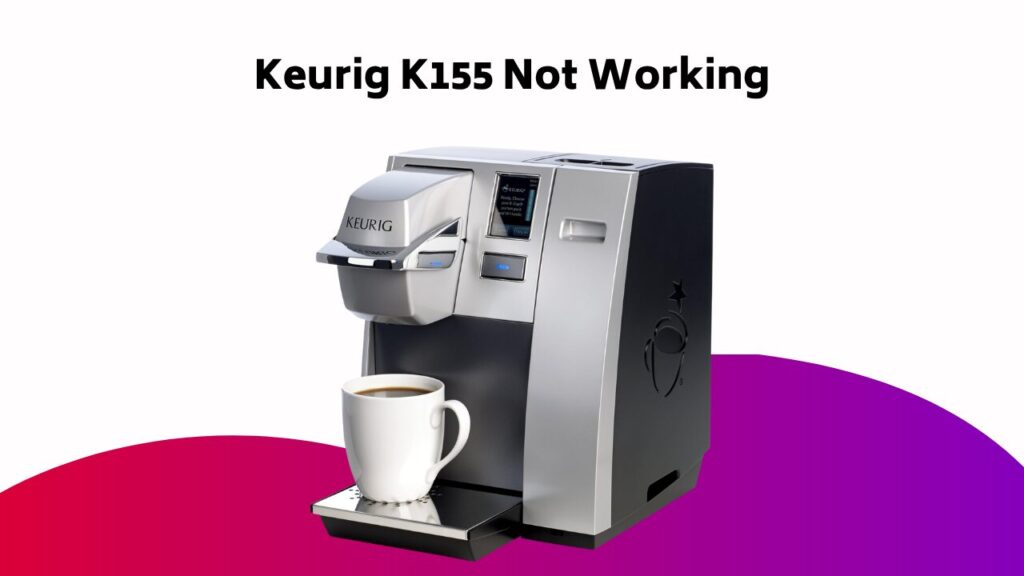
When your Keurig K155 suddenly stops brewing, it’s frustrating. But before you call it quits, take a closer look. Is the machine properly plugged in and the outlet working? Have you checked the water reservoir for blockages or mineral buildup? Sometimes, a simple fix can get you back to sipping your favorite coffee in no time. Let’s plunge into some common issues and troubleshooting steps to get your Keurig up and running smoothly again.
Contents
Understanding the Issue
When your Keurig K155 stops working as expected, it can be frustrating and disrupt your daily routine.
To identify the problem, you’ll need to troubleshoot the issue. Begin by checking the heating element, which could be clogged or malfunctioning.
Verify all parts are clean and free from mineral buildup. If the issue persists, consult your user manual or online resources for guidance.
By methodically ruling out potential causes, you’ll be able to pinpoint the problem and take steps to resolve it.
Remember to stay calm and patient, as troubleshooting can be a process of trial and error.
Possible Causes of the Problem
Since your Keurig K155 has stopped functioning as expected, you’re likely wondering what’s causing the issue.
To find the root of the problem, consider the possibility of clogged water lines or a faulty water pump. If your machine can’t run a cycle, it might be due to a malfunctioning brew head or a software glitch.
Additionally, check for loose connections or worn-out parts that could be preventing your Keurig from functioning properly. By identifying the possible causes, you’ll be one step closer to resolving the issue and getting your Keurig up and running again.
Troubleshooting Steps
Now that you’ve identified the possible causes of the issue, it’s time to take action.
Follow these troubleshooting steps to resolve the problem.
First, verify the Keurig K155 is properly plugged in and the outlet is working.
If you can’t run a brew cycle, try unplugging the machine and plugging it back in.
Check the water reservoir for any blockages or mineral buildup.
If you’ve recently descaled your Keurig, post a comment below and we’ll help you troubleshoot further.
Resolving the “Heating Please Wait” Message
The “Heating Please Wait” message on your Keurig K155 can be frustrating, especially when you’re craving a fresh cup of coffee.
Don’t worry, troubleshooting this issue is relatively straightforward.
To resolve the “Heating Please Wait” message, try the following:
- Check the power button: Confirm the power button is fully pressed and the machine is turned on. Sometimes, a simple reboot can resolve the issue.
- Descale your Keurig: Mineral buildup can prevent the heating element from functioning properly. Run a descaling solution through your machine to remove any mineral deposits.
- Verify the water reservoir: Guarantee the water reservoir is properly aligned and filled. If the reservoir is empty or not seated correctly, the machine won’t heat up.
Maintaining Your Keurig K155
Regular maintenance is key to extending the life of your Keurig K155 and guaranteeing it continues to brew great-tasting coffee. By following a simple routine, you can maintain your machine’s performance and prevent common issues.
| Task | Frequency | Benefit |
|---|---|---|
| Descaling | Every 3-6 months | Prevents mineral buildup |
| Cleaning exterior and brew head | Weekly | Prevents clogged needles and poor-tasting coffee |
| Resetting | As needed | Resolves certain issues |
| Cleaning water reservoir and components | Regularly | Guarantees peak performance and prevents common issues |
Frequently Asked Questions
How to Reset Keurig 155?
You’re experiencing brewer failure, poor coffee quality, or water flow issues? Try resetting your machine! Unplug, press and hold “Menu” and “Settings” for 3-5 seconds, then plug back in and turn on to restore default settings and resolve machine malfunction.
What Is a Common Problem With Keurig?
You’re stuck in a coffee conundrum, reminiscent of a slow-drip nightmare. One of the most common problems you’ll face is internal issues, like faulty pumps, worn seals, clogged needles, or mineral buildup, which can bring your brewing to a grinding halt.
What Is the Average Lifespan of a Keurig Machine?
You’re wondering how long your trusty coffee maker will last. On average, it’ll brew daily cups for 5-7 years, but with proper care, it might just avoid electrical issues and keep going strong for 10 years or more, according to product reviews.
Where Is the Reset Button on a Keurig?
When you’re stuck in a rut, like Sisyphus pushing his boulder, you need a reboot. You’ll find the reset button, often hidden, on the back or bottom of your brewer. Press and hold to restore factory defaults, resolving power issues and machine errors, breathing new life into your daily grind.
Conclusion
You’ve followed the troubleshooting steps, and your Keurig K155 is brewing again. But have you ever wondered why regular maintenance is key to preventing issues? It’s because mineral buildup and worn-out parts can silently sabotage your machine. By staying on top of descaling and cleaning, you’ll avoid the frustration of a malfunctioning brewer and guarantee a perfect cup every time.