
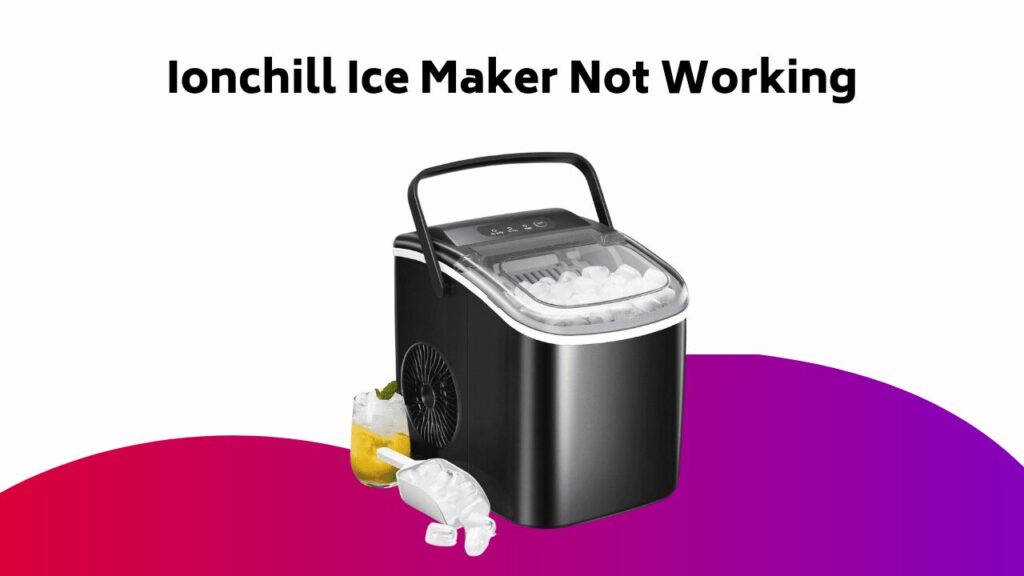
As you’re enjoying the convenience of your Ionchill ice maker, you may encounter some common issues that hinder its performance. Don’t worry – most problems can be easily resolved with some simple troubleshooting. If your ice maker stops producing ice, won’t turn on, or is producing less ice than expected, there are a few things you can check before calling customer service. Let’s walk through some common issues and their solutions to get your ice maker up and running smoothly again.
Contents
- What if the Ice Maker Stops Producing Ice?
- What if the Ice Maker Won’t Turn On?
- Why Is My Ice Maker Producing Less Ice Than Expected?
- What Should I Do if the Indicator Lights Won’t Turn Off?
- Where Should I Not Use the Ice Maker?
- How to Ensure Proper Ice Maker Placement
- Resolving Issues With the Water Reservoir Tank
- Troubleshooting the Ice Basket and Ice Production
- When to Contact Customer Service for Assistance
- Frequently Asked Questions
- Conclusion
What if the Ice Maker Stops Producing Ice?
When your Ionchill ice maker suddenly stops producing ice, it can be frustrating.
First, check the water reservoir tank to confirm it hasn’t run out of water. Also, verify that the ice basket isn’t completely full.
Certify all components are installed correctly, not visibly damaged, and clean. Refill the water tank with fresh water when it runs low, and remove some ice from the machine periodically.
If the issue persists, don’t attempt to disassemble or repair the ice maker yourself. Instead, reach out to Customer Service at [email protected] or 1-855-GO-TZUMI for assistance.
What if the Ice Maker Won’t Turn On?
When your Ionchill Ice Maker refuses to turn on, it’s essential to check the basics first.
You should guarantee the unit is placed on a stable, flat surface, away from heat sources and direct sunlight, with sufficient space around it for airflow.
Additionally, verify that the power plug is securely inserted into a functioning outlet, and that there are no obstructions or damage to the cord.
Power Plug Check
If your Ionchill Ice Maker refuses to turn on, the first step is to guarantee the Quickcubes power plug is firmly inserted into the chosen AC outlet, and that nothing is covering or inserted into the outlet, thereby verifying a secure connection.
Certify the power cord isn’t damaged in any way, as this can prevent the ice maker from functioning. A damaged power cord can be a simple yet often overlooked issue.
If you’ve checked the power plug and cord, and the issue persists, it’s time to investigate other possible causes.
Surface and Space
You’ve checked the power plug and cord, and the issue persists. Now, it’s time to inspect the surface and space around your Ionchill ice maker. Verify it’s placed on a level, stable surface, away from direct sunlight and moisture. Check if there’s enough space around the unit for proper airflow.
| Surface Requirements | Space Requirements | Tips |
|---|---|---|
| Level, stable surface | 1 inch clearance on sides | Avoid placing on uneven countertops |
| Away from direct sunlight | 3 inches clearance at back | Guarantee good air circulation |
| Away from moisture | Keep the area clean and dry |
Outlet Obstructions
One common culprit behind an unresponsive Ionchill ice maker is an obstructed outlet.
Check if the power cord is damaged or pinched, which can prevent the ice maker from receiving power. Inspect the outlet itself for any blockages, such as dust, debris, or other appliances plugged in.
Guarantee the outlet isn’t overloaded, as this can cause the ice maker to malfunction. If you’ve recently moved the ice maker, double-check that the power cord is securely plugged into the outlet.
Verify the outlet is clear of obstructions and try plugging the ice maker back in to see if it turns on.
Why Is My Ice Maker Producing Less Ice Than Expected?
If your Ionchill ice maker is producing less ice than expected, it’s likely due to surface and placement issues, insufficient water supply, or poor cleaning and maintenance.
You should guarantee your ice maker is placed on a flat, hard surface, away from direct sunlight, with enough clearance on all sides.
Additionally, check that the water tank is filled to its maximum capacity and that the unit is free from dirt and debris that may be affecting ice production.
Surface and Placement Issues
The ice maker’s surface and placement can significantly impact its performance, leading to reduced ice production if not properly addressed.
Verify you’ve placed your Ionchill ice maker on a flat, hard surface, away from direct sunlight.
Leave at least 4 inches of clearance on each side and 6 inches between the sides and rear of the unit and other objects. This allows for prime airflow and heat dissipation.
A clean surface also matters, so gently wipe the interior and exterior with a soft, damp cloth to prevent any buildup that might affect ice production.
Insufficient Water Supply
You’re probably wondering why your Ionchill ice maker is producing less ice than expected.
One common reason is an insufficient water supply. Check the water tank to verify it’s filled up to its maximum fill line with clean water. If the tank is empty or low, the Add Water indicator will light up.
Fill the tank accordingly, and your ice maker should resume producing ice at the expected rate. Remember, an adequate water supply is essential for peak ice production.
If you’ve checked the water level and the issue persists, it’s time to investigate other troubleshooting options.
Cleaning and Maintenance
Proper placement and regular upkeep of your Ionchill ice maker can significantly impact its performance.
Verify you’ve placed the unit on a flat, hard surface, away from direct sunlight, with 4 inches of clearance on each side.
Regular cleaning is also essential. Gently wipe the interior and exterior with a soft, damp cloth to remove any impurities.
Running a self-cleaning cycle for 30 minutes can also help. By following these cleaning and maintenance tips, you’ll be able to resolve issues with reduced ice production and keep your ice maker running efficiently.
What Should I Do if the Indicator Lights Won’t Turn Off?
If your Ionchill ice maker’s indicator lights refuse to turn off, don’t panic – it’s likely a simple issue that can be resolved with some troubleshooting. Check the indicator lights and identify the specific issue.
| Indicator Light | Solution | Action |
|---|---|---|
| Add Water | Add water to the tank or refill it | Press Power Button to restart |
| Ice Full | Remove some ice from the basket | Ice-making process will restart after 3 minutes |
| Any Light | Unplug and replug the ice maker | Reset the indicator lights |
| Any Light | Run a self-cleaning cycle for 30 minutes | Resolve the issue |
| Any Light | Reach out to Customer Service | Get further assistance and troubleshooting tips |
Remember to try these solutions before contacting Customer Service for further help.
Where Should I Not Use the Ice Maker?
The Ionchill ice maker’s performance and longevity can be compromised if used in certain environments or conditions.
You should avoid placing it near heating vents, radiators, or ovens, as high temperatures can affect its operation.
Keep it away from direct sunlight, as UV rays can cause the unit to malfunction.
Additionally, don’t use the ice maker in areas with high humidity or moisture, as this can lead to condensation and electrical issues.
Finally, avoid placing it in areas with extreme vibrations or shocks, as this can cause mechanical failure.
How to Ensure Proper Ice Maker Placement
Now that you’ve identified environments to avoid, it’s time to focus on ideal placement.
When deciding where to place the ice maker, consider the interior and exterior factors that can affect its performance.
- Place the ice maker away from direct sunlight, which can cause the machine to work harder and increase energy consumption.
- Guarantee good air circulation around the unit to prevent overheating and moisture buildup.
- Position the ice maker on a level, stable surface to prevent vibration and noise.
Resolving Issues With the Water Reservoir Tank
One essential aspect of maintaining your Ionchill ice maker’s performance is ensuring the water reservoir tank is always filled to the ideal level.
Check the tank regularly to prevent it from running out of water, which can cause the ice maker to stop producing ice. Refill the water tank with fresh water when it runs low, making sure it’s filled up to its maximum fill line with clean water.
If the Add Water indicator light is on, add water to the tank or empty and refill it, then press the Power Button to restart the ice-making process.
Troubleshooting the Ice Basket and Ice Production
Your Ionchill ice maker’s performance relies on multiple factors, and the ice basket’s condition is one of them.
To guarantee peak ice production, check the ice basket regularly.
- Guarantee the ice basket isn’t completely full, as this can prevent the ice maker from producing more ice.
- Check that the water reservoir tank is filled up to its maximum fill line with clean water.
- Place the ice maker on a flat, hard surface, away from direct sunlight, and leave 4 inches on each side of the unit.
When to Contact Customer Service for Assistance
If you’ve tried troubleshooting your Ionchill ice maker and still encounter issues, it’s time to seek assistance from Customer Service. They can help you resolve problems that persist after trying the troubleshooting steps.
| Issue | Troubleshooting Steps | Contact Customer Service |
|---|---|---|
| No ice production | Check water reservoir tank and ice basket | Yes |
| Won’t turn on | Guarantee a stable surface, away from heat/direct sunlight, and secure power plug | Yes |
| Less ice production | Try troubleshooting tips | Yes |
| Indicator lights won’t turn off | Add water, remove ice, or run self-cleaning cycle | Yes |
Frequently Asked Questions
Why Won’t My Ionchill Ice Maker Work?
You’re wondering why your ice maker won’t work? Check for faulty sensors or ice blockage in the freezing chamber, which can prevent the unit from functioning properly, and guarantee the water reservoir is filled and the ice basket isn’t full.
Why Does My Ionchill Quick Cube Ice Maker Keep Saying Add Water?
It’s like a nagging voice, constantly saying ‘add water’! Check the water level sensor, ensuring it’s not stuck or faulty. Also, inspect the float switch, as a faulty one can trigger the indicator light, even if the tank is full.
How Do I Reset My Portable Ice Maker?
To reset your portable ice maker, try unplugging and replugging it, then run a 30-minute self-cleaning cycle, which fundamentally puts it in defrost mode, allowing for ice maker cleaning and resolving common issues.
Why Does My Ice Maker Keep Saying Ice Full When There Is No Ice?
Carefully checking your contraption, you’ll likely find a faulty display panel or finicky ice sensor issue causing the ‘ice full’ false alarm, even when the basket’s bare; investigate these culprits to resolve the mystery.
Conclusion
In a blink, your Ionchill ice maker can go from hero to zero, leaving you high and dry without a single cube. Don’t let that happen! By following these troubleshooting steps, you’ll be back to churning out ice like a pro in no time. Remember, a few simple checks can save you from a meltdown – literally! So, stay cool, stay calm, and get ready to rescue your ice maker from the brink of disaster.