
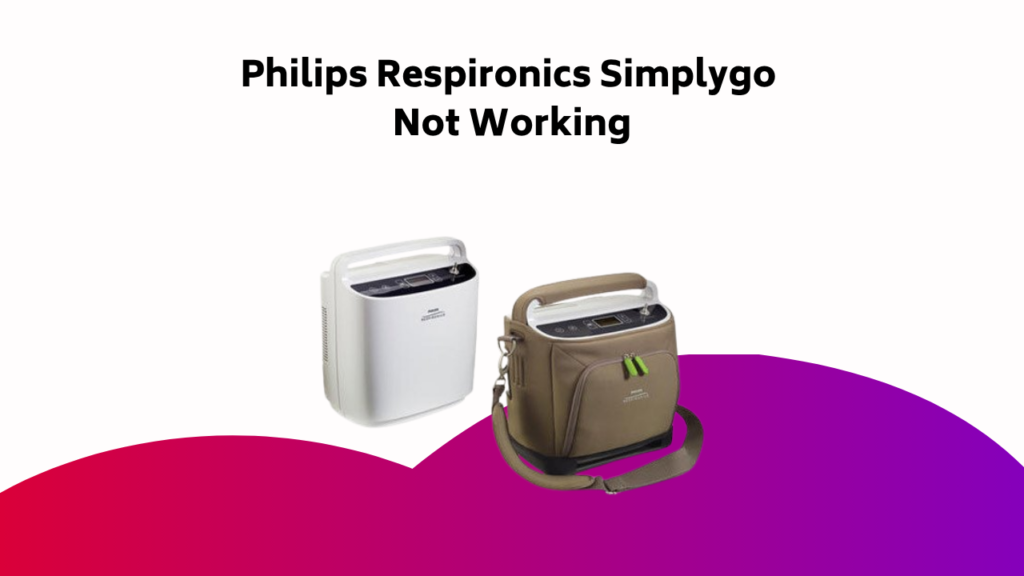
As you navigate your Philips Respironics SimplyGo oxygen concentrator, you may encounter issues that hinder its performance. Don’t worry, troubleshooting is a straightforward process that can often resolve common problems. Start by identifying the issue: is it related to power, oxygen flow, or alarm notifications? By methodically checking connections, settings, and filters, you can often pinpoint and fix the problem. But if you’re unsure or the issue persists, it’s essential to know when to seek professional help to guarantee your device operates safely and efficiently.
Contents
- Understanding Your SimplyGo Oxygen Concentrator
- Common Issues With Simplygo Oxygen Concentrators
- Troubleshooting Common Problems
- Power-Related Issues and Solutions
- Oxygen Flow Troubleshooting
- Noise and Vibration Concerns
- Alarm Issues and Troubleshooting
- When to Seek Professional Help
- Maintaining Your SimplyGo Oxygen Concentrator
- Device-Specific Troubleshooting Guide
- Frequently Asked Questions
- Conclusion
Understanding Your SimplyGo Oxygen Concentrator
When you first start using your Philips Respironics SimplyGo oxygen concentrator, it’s essential to understand how it works to guarantee you get the most out of this life-changing device.
As a portable oxygen concentrator, it extracts oxygen from the ambient air and delivers it to you through a nasal cannula or mask.
The concentrator’s sieve bed contains a material that selectively adsorbs nitrogen molecules, allowing oxygen molecules to pass through, providing high-purity oxygen.
The compressor pressurizes the air, and the flow meter controls the oxygen delivery rate, ensuring a precise and consistent flow that meets your respiratory needs.
Common Issues With Simplygo Oxygen Concentrators
Your Philips Respironics SimplyGo oxygen concentrator is a reliable device, but like any complex equipment, it’s not immune to issues.
While it’s designed to provide a consistent flow of oxygen, you may encounter problems that affect its performance.
Common issues with SimplyGo oxygen concentrators include:
- Power-related problems, such as faulty connections or incorrect settings.
- Issues with oxygen flow, like kinked tubing or blockages.
- Noise and vibration concerns, often due to dirty filters or worn parts.
- Alarm issues and user interface problems, which can usually be resolved by checking the user manual or contacting customer service.
Troubleshooting Common Problems
How do you troubleshoot common problems with your Philips Respironics SimplyGo oxygen concentrator?
Start by inspecting the tubing and connections to guarantee they’re not kinked or blocked, and check that objects don’t obstruct the oxygen outlet to resolve oxygen flow issues.
Refer to the user manual for specific troubleshooting instructions or guidance on adjusting flow rate settings. If the issue persists, contact customer service for advanced troubleshooting or repair services.
For other concerns, such as noise and vibration, alarm issues, or user interface problems, consult your user manual or reach out to customer service for further assistance.
Power-Related Issues and Solutions
When troubleshooting power-related issues with your Philips Respironics SimplyGo, you should first check that the power cord is securely connected to both the concentrator and the power source.
If you’re using the battery, guarantee it’s fully charged or try a different one to rule out any battery-related problems. Next, verify that the power outlet is functioning correctly by plugging in another device.
Power Cord Issues
The Philips Respironics SimplyGo’s power cord is a critical component, as it supplies the necessary energy to operate the device.
If you’re experiencing issues with your SimplyGo, it’s essential to check the power cord first.
- Damaged or frayed cord: Inspect the power cord for any signs of damage, such as frays, cuts, or exposed wires.
- Loose connections: Verify that the power cord is securely connected to both the device and the power source.
- Incorrect voltage: Guarantee the power cord is rated for the correct voltage to avoid damage to the device.
- Power cord replacement: If the power cord is damaged beyond repair, consider replacing it with a genuine Philips Respironics replacement cord to certify its reliability.
Battery Problems Solved
Your SimplyGo’s battery is an essential component, and its proper functioning is pivotal for uninterrupted oxygen therapy. If you’re experiencing battery problems, don’t worry – we’ve got you covered.
| Symptom | Cause | Solution |
|---|---|---|
| Battery won’t charge | Faulty charging port | Clean the charging port or replace the battery |
| Low battery life | Incorrect storage | Store the battery in a cool, dry place |
| Battery not recognized | Loose connection | Verify the battery is securely connected |
| Battery swelling | Overcharging | Avoid overcharging and follow proper charging guidelines |
| Battery not holding charge | Age or wear | Replace the battery with a new one |
Outlet Functionality Check
One crucial aspect of guaranteeing uninterrupted oxygen therapy with your Philips Respironics SimplyGo is to verify that the power outlet is functioning correctly.
To do this, simply plug in another device to the same outlet to check if it’s working properly. If the outlet is the issue, you’ll need to resolve that before moving forward.
Check the following to rule out outlet functionality issues:
- Plug another device into the same outlet to test its functionality.
- Certify the power cord is securely connected to both the concentrator and the power source.
- Inspect the tubing and connections for kinks or blockages.
- Review the user manual for specific troubleshooting instructions or contact customer service for further assistance.
Oxygen Flow Troubleshooting
How often does your Philips Respironics SimplyGo oxygen concentrator fail to deliver the expected oxygen flow?
If you’re experiencing issues, check the concentrator’s settings to guarantee they match your prescription. Verify the oxygen flow rate is set correctly and the concentrator is functioning within its operating pressure range.
Inspect the nasal cannula or oxygen tubing for kinks, blockages, or damage, which can restrict oxygen flow. Also, certify the concentrator’s air filter is clean, as a clogged filter can reduce oxygen flow.
Noise and Vibration Concerns
When you’re using your Philips Respironics Simplygo, you may notice some vibration and noise.
This is often caused by an imbalance in the compressor motor or worn-out parts, which can lead to excessive vibration.
Cause of Vibration
What might be causing the vibration that’s disrupting your Philips Respironics SimplyGo experience?
To identify the root cause, consider the following possibilities:
- Unstable surface: Verify the concentrator is placed on a stable surface, away from objects that may cause vibration.
- Clogged filters: Clean the internal and external filters to remove debris or dust that may be contributing to the vibration.
- Power cord issues: Check if the power cord is securely connected to the concentrator and the power source to rule out power-related issues.
- Flow rate settings: Refer to the user manual for guidance on adjusting flow rate settings to minimize vibration.
Eliminating the Noise
Now that you’ve identified the source of the vibration, it’s time to tackle the noise that’s disrupting your Philips Respironics SimplyGo experience. To eliminate the noise, focus on the pulse dose setting, as it can affect the machine’s operation. Adjusting the pulse dose may help reduce the noise level.
| Noise Cause | Solution | Effect on Pulse Dose |
|---|---|---|
| Incorrect tube connection | Reconnect tubes securely | No impact |
| Clogged air filter | Clean or replace air filter | May increase pulse dose |
| High compression setting | Reduce compression setting | Decreases pulse dose |
| Loose screws or bolts | Tighten screws and bolts | No impact |
| Worn or damaged parts | Replace worn or damaged parts | May increase or decrease pulse dose |
Alarm Issues and Troubleshooting
How often do you find yourself waking up in the middle of the night to the sound of your Philips Respironics SimplyGo portable oxygen concentrator alarming?
You’re not alone. Alarm issues can be frustrating and disrupt your therapy.
To troubleshoot, check the following:
- Low oxygen levels: Guarantee the concentrator is producing sufficient oxygen. Check the flow rate and adjust as needed.
- Clogged filters: Inspect and clean or replace filters to prevent airflow obstruction.
- Power issues: Verify the concentrator is properly plugged in and the power cord is secure.
- Sensor malfunctions: Inspect the oxygen sensor for damage or blockages, and clean or replace it if necessary.
When to Seek Professional Help
If your Philips Respironics SimplyGo portable oxygen concentrator continues to alarm despite troubleshooting the common issues, it’s essential to seek professional help to guarantee uninterrupted therapy and your safety.
You’ve tried troubleshooting, but the issue persists – it’s time to involve a professional. They’ll have the expertise and equipment to resolve the problem quickly and efficiently.
Don’t risk your health by delaying – contact a authorized Philips Respironics service provider or a healthcare professional for assistance. They’ll diagnose and fix the issue, ensuring you receive the oxygen therapy you need without interruption.
Maintaining Your SimplyGo Oxygen Concentrator
Your Philips Respironics SimplyGo portable oxygen concentrator is a vital lifeline, and regular maintenance guarantees it continues to deliver reliable oxygen therapy.
To keep your oxygen concentrator in top condition, follow these steps:
- Clean the exterior: Use a soft cloth and mild detergent to wipe down the device, paying attention to any areas with visible dirt or debris.
- Check the filter: Regularly inspect and clean or replace the filter as needed to achieve peak oxygen output.
- Update software: Stay current with the latest software updates to guarantee your device remains compatible with accessories and operates efficiently.
- Store properly: When not in use, store your oxygen concentrator in a dry, cool place to prevent damage from moisture or extreme temperatures.
Device-Specific Troubleshooting Guide
The Philips Respironics SimplyGo oxygen concentrator is equipped with advanced features to facilitate efficient troubleshooting, allowing you to quickly identify and resolve issues that may arise during use.
Understanding how it extracts oxygen from ambient air and delivers it to you for oxygen therapy helps in identifying common issues.
You can troubleshoot power-related problems, oxygen flow issues, noise concerns, alarm problems, and user interface issues by following the guides and maintenance procedures.
Regular maintenance, such as cleaning filters and checking for updates, guarantees the concentrator’s efficiency.
The user manual provides solutions for common error alarms, helping you diagnose and resolve issues with oxygen levels or concentrator performance.
Frequently Asked Questions
How Do I Reset My Simply Go Oxygen Concentrator?
To reset your oxygen concentrator, you’ll need to restore Oxygen Defaults; press and hold the power button for 10 seconds, then release, and the device will reboot, reverting to its factory settings, ready for use.
Why Is My Simplygo Beeping?
Like a detective searching for clues, you’re trying to crack the code behind your SimplyGo’s incessant beeping. The culprit? Beep Codes. Check your user manual for specific code meanings, as they indicate issues like low battery, high temperature, or air leaks, guiding you towards a solution.
Why Won’t My Philips Respironics Turn On?
When you press the Power Button, your device should turn on. If it won’t, check the battery level, guarantee proper charging, and inspect the power cord for damage; also, verify the Power Button itself isn’t faulty or stuck.
How Do I Reset My Concentrator?
To reset your concentrator, you’ll need to disconnect it from the power source, press and hold the alarm silence button, then reconnect power while still holding the button to discharge any battery drain.
Conclusion
You’ve made it through the troubleshooting gauntlet, and if your SimplyGo oxygen concentrator still isn’t cooperating, well, that’s what professionals are for. Don’t bother trying to MacGyver a fix; you might just end up inhaling dust bunnies instead of oxygen. When in doubt, call in the cavalry – an authorized service provider or healthcare pro – to guarantee your device is running safely and efficiently. Your lungs (and sanity) will thank you.