
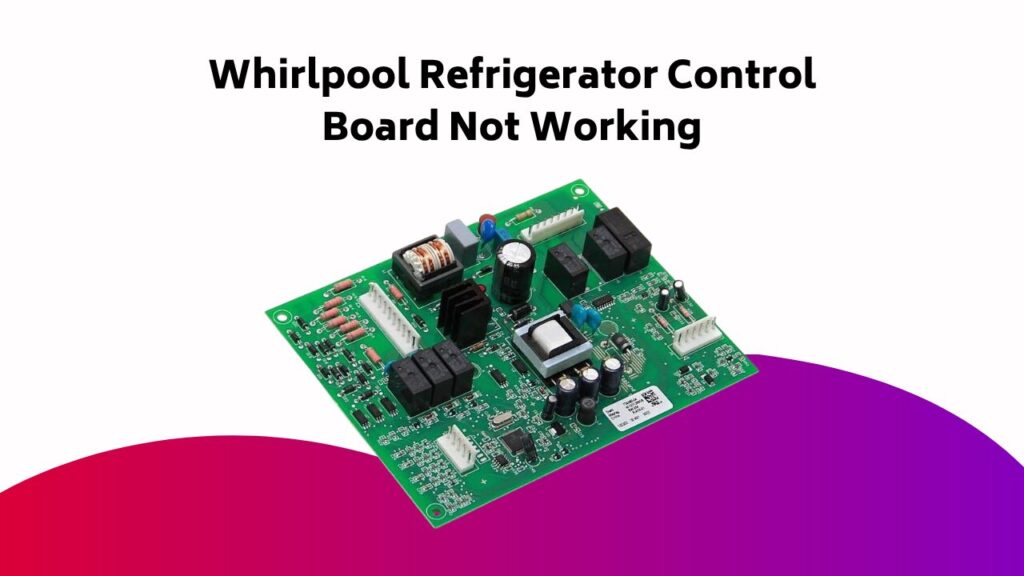
As you stand in front of your Whirlpool refrigerator, staring at the dark, lifeless control panel, you can’t help but wonder: what’s behind the silence? Is it a faulty control board, or something more sinister? The answer lies in a methodical troubleshooting process. Start by ruling out the obvious culprits – power supply issues, showroom mode, and dodgy wire harnesses – and then plunge deeper into the circuitry. The journey to resolution begins now, and the first step is just a diagnosis away.
Contents
- Possible Causes of Control Panel Issues
- Troubleshooting Steps for User Control and Display Board
- Identifying and Replacing Dispenser Control Board Issues
- Display Board Malfunctions and Replacement
- Wiring and Connection Problems in Whirlpool Refrigerators
- Additional Troubleshooting and Replacement Options
- Preparation, Installation, and Testing of New Control Boards
- Common Mistakes to Avoid When Troubleshooting Control Boards
- Frequently Asked Questions
- Conclusion
Possible Causes of Control Panel Issues
If your Whirlpool refrigerator’s control panel is malfunctioning, it’s essential to rule out simple yet often overlooked causes before diving into more complex troubleshooting.
Check the power supply by ensuring the power cord is plugged in and the circuit breaker hasn’t tripped. Verify you’re not in showroom or Sabbath mode, as these can disable certain features.
A faulty control and display board or damaged wire harness can also cause issues. Inspect the wire harness for signs of damage or wear.
If you’ve ruled out these causes, you can move on to more advanced troubleshooting, potentially involving the main control board or dispenser components.
Troubleshooting Steps for User Control and Display Board
Your Whirlpool refrigerator’s user control and display board is a complex component that requires a methodical approach to troubleshoot. To identify the issue, follow these steps:
| Symptom | Possible Cause | Troubleshooting Step |
|---|---|---|
| Control Panel Not Working | Faulty User Control Board | Check for power supply issues |
| Dispenser Front Panel Not Responding | Corrupted Display Board | Check for loose connections |
| Refrigerator Dispenser Control Board Malfunction | Software Glitch | Reset the control board |
| Whirlpool Refrigerator Display Board Not Displaying | Faulty LCD Display | Check for physical damage |
| User Control and Display Board Not Responding | Electrical Surge | Check for blown fuses |
Identifying and Replacing Dispenser Control Board Issues
The dispenser control board is a critical component of your Whirlpool refrigerator’s user control and display system, responsible for managing the dispenser’s functions.
If you’re experiencing issues with your dispenser, it’s likely due to a faulty control board. To identify the problem, check for these common symptoms:
- No power to the dispenser
- Inconsistent dispenser operation
- Error codes on the display
- Unresponsive dispenser buttons
If you’ve confirmed a faulty control board, replacing it’s a relatively straightforward process. Consult your Whirlpool refrigerator’s user manual or contact a professional for assistance.
Display Board Malfunctions and Replacement
Faulty dispenser control boards often lead to issues with the display board, which is responsible for showing temperature settings, error codes, and other essential information.
You’ll notice faulty display boards when the Refrigerator Dispenser Front Panel remains blank or displays incorrect data. Inspect the Circuit Board for signs of physical damage, corrosion, or worn-out solder joints.
If you find any issues, replace the display board with a new one, ensuring it’s compatible with your Whirlpool refrigerator’s main board. Properly connect the new board to the main board, and you should see the display functioning correctly again.
Wiring and Connection Problems in Whirlpool Refrigerators
Loose or corroded connections can wreak havoc on your Whirlpool refrigerator’s performance, leading to issues with temperature control, ice maker functionality, and even the dispenser system.
You’ll need to inspect the wire harness connectors and control board connections for any signs of wear or damage.
Check for:
- Disconnected or Damaged Wire
- Corroded or loose wire harness connectors
- Faulty control panel buttons
- Incorrect supply power from the electrical outlet
Make sure all connections are secure and clean to guarantee proper function. If you’re still experiencing issues, it may be a sign of a more complex problem with the control board.
Additional Troubleshooting and Replacement Options
If your Whirlpool refrigerator’s issues persist after checking the wiring and connections, it’s time to plunge deeper into troubleshooting.
You’ll need to identify the malfunctioning part, which might be the control board. Check the dispenser functions, as they’re often linked to the control board.
If you’ve isolated the issue to the control board, consider replacement. You can purchase a replacement control board from Whirlpool or a third-party supplier.
Before replacing the part, guarantee you’ve exhausted all other troubleshooting options to avoid unnecessary replacement costs.
Preparation, Installation, and Testing of New Control Boards
You’ll need to prepare a clean and well-lit workspace before installing a new control board to guarantee a smooth and safe process.
Unplug the refrigerator to prevent electrical accidents. Gather necessary tools and materials, including a screwdriver and a replacement control board.
To certify a successful installation, follow these steps:
- Remove the old control board, disconnecting wiring harnesses or connectors.
- Install the new board in the designated slot, verifying a snug and secure fit.
- Reconnect wires to corresponding terminals, firmly pressing them into place.
- Verify all connections are secure before reassembling the refrigerator.
Monitor the refrigerator’s performance, certifying the control board manages functions effectively, such as the Dispenser part.
Common Mistakes to Avoid When Troubleshooting Control Boards
Many control board troubleshooting attempts fail due to avoidable mistakes that can lead to prolonged appliance downtime and costly repairs. You can avoid these mistakes by following best practices.
| Common Mistake | Solution |
|---|---|
| Failing to consult the user manual | Review the manual to understand control board functions and troubleshooting procedures |
| Not checking power supply | Verify the board receives the correct voltage and power supply |
| Ignoring part-specific troubleshooting | Identify the malfunctioning part (e.g., Whirlpool Refrigerator Dispenser Control) and troubleshoot accordingly |
| Not testing individual components | Isolate and test individual components to pinpoint the issue |
| Assuming a faulty board without testing | Perform thorough testing before replacing the control board |
Frequently Asked Questions
How to Know if a Whirlpool Control Board Is Bad?
To determine if a control board is faulty, you’ll need to identify signs of failure, such as unresponsive buttons or error messages. Use diagnostic tools to perform circuit analysis, checking for electrical surges or damaged components. If you find issues, consider board replacement to resolve the problem.
What Are the Symptoms of a Bad Control Board in a Refrigerator?
You’ll notice faulty operation, strange noises, and inconsistent cooling when a control board fails. Erratic beeping, temperature fluctuations, and display issues are also common symptoms, indicating the board is malfunctioning and needs attention.
How Do I Reset My Refrigerator Control Panel on My Whirlpool?
Imagine your fridge’s control panel as a stubborn computer – sometimes it needs a reboot. To reset, try pressing and holding the ‘Exit’ or ‘Settings’ button for 10-15 seconds to fix a faulty display, frozen screen, or unresponsive touch, and regain accurate readings in diagnostic mode.
What Is the Most Common Problem With a Whirlpool Refrigerator?
You’ll often find that the most common problem with your fridge is a defrost issue, causing temperature fluctuations, ice buildup, and water leakage, which can be attributed to a faulty door seal or other malfunction, leading to a broader fridge malfunction.
Conclusion
You’ve reached the final step in troubleshooting your Whirlpool refrigerator control board. Remember, “an ounce of prevention is worth a pound of cure.” By following these steps, you’ve likely identified and resolved the issue. If not, you’re now equipped to replace the faulty board with a compatible new one. Certify proper connection to the main board, verify correct power supply, and secure connections to guarantee proper function. With patience and persistence, your refrigerator should be up and running smoothly.